Why I built HangarGrid: a home for every aircraft we fly
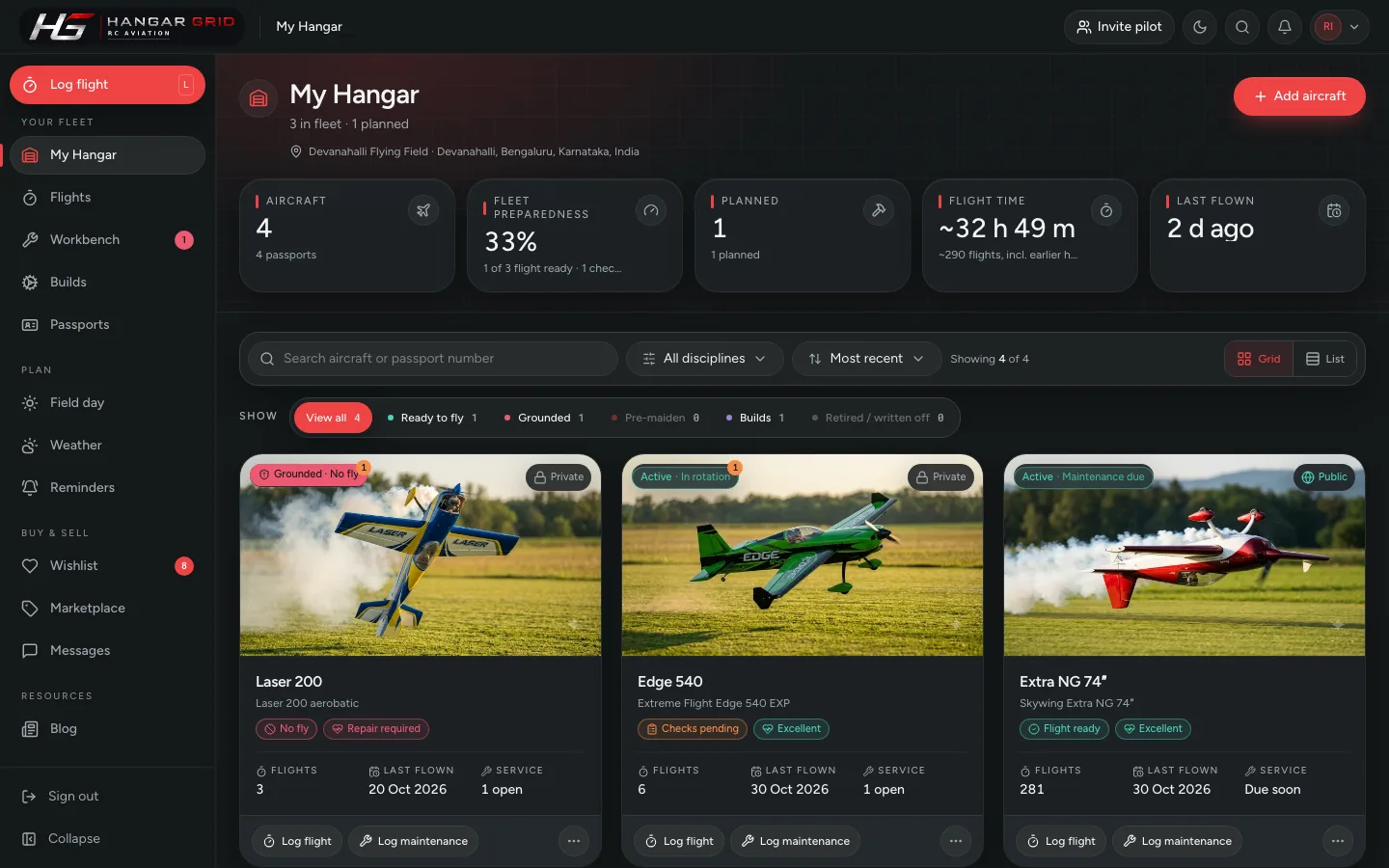
I'm an RC pilot, and like most of you my flying life was scattered across notebooks, WhatsApp chats and memory. HangarGrid is my answer: one place for every aircraft, from the build to its last flight.
Welcome to the very first post on the HangarGrid blog.
Before anything else, a word on why this blog exists. I wanted a place where I can talk to you directly and honestly, one pilot to another. Not polished announcements or marketing speak. Just me telling you what I'm building, what's working, what isn't yet, and why I made the choices I did.
HangarGrid is going to keep growing, and this blog is where you'll hear about it first. I'll be posting regularly with every new development: new features, the thinking behind them, and the lessons I pick up along the way. So keep checking in. And if something I write makes you nod, or makes you want to argue with me, even better. That's the conversation I'm hoping for.
Now, let's start at the beginning. What is HangarGrid, why did I build it, and what can it do for you?
I'll keep it simple. No tech talk. Just one RC pilot talking to others.
First, a confession
I love this hobby. The building, the tinkering, the early mornings at the field, the nervous minutes before a maiden. If you're reading this, I'm guessing you do too.
But I was terrible at keeping track of it all.
Ask me how many flights my favourite aircraft had done, and I'd guess. Ask me when I last checked the control horns, and I'd go quiet. Battery cycles? Somewhere in a notebook. The servo I swapped last season? Somewhere in a WhatsApp chat. The engine settings that finally worked? In my head, until they weren't.
And I'm not alone. Look around any field and you'll see the same thing. We put weeks into a build and lakhs into a fleet, and then keep the story of each aircraft in five different places, or nowhere at all.
That's the problem HangarGrid is built to fix.
So what is HangarGrid?
HangarGrid is a digital passport for model aircraft.
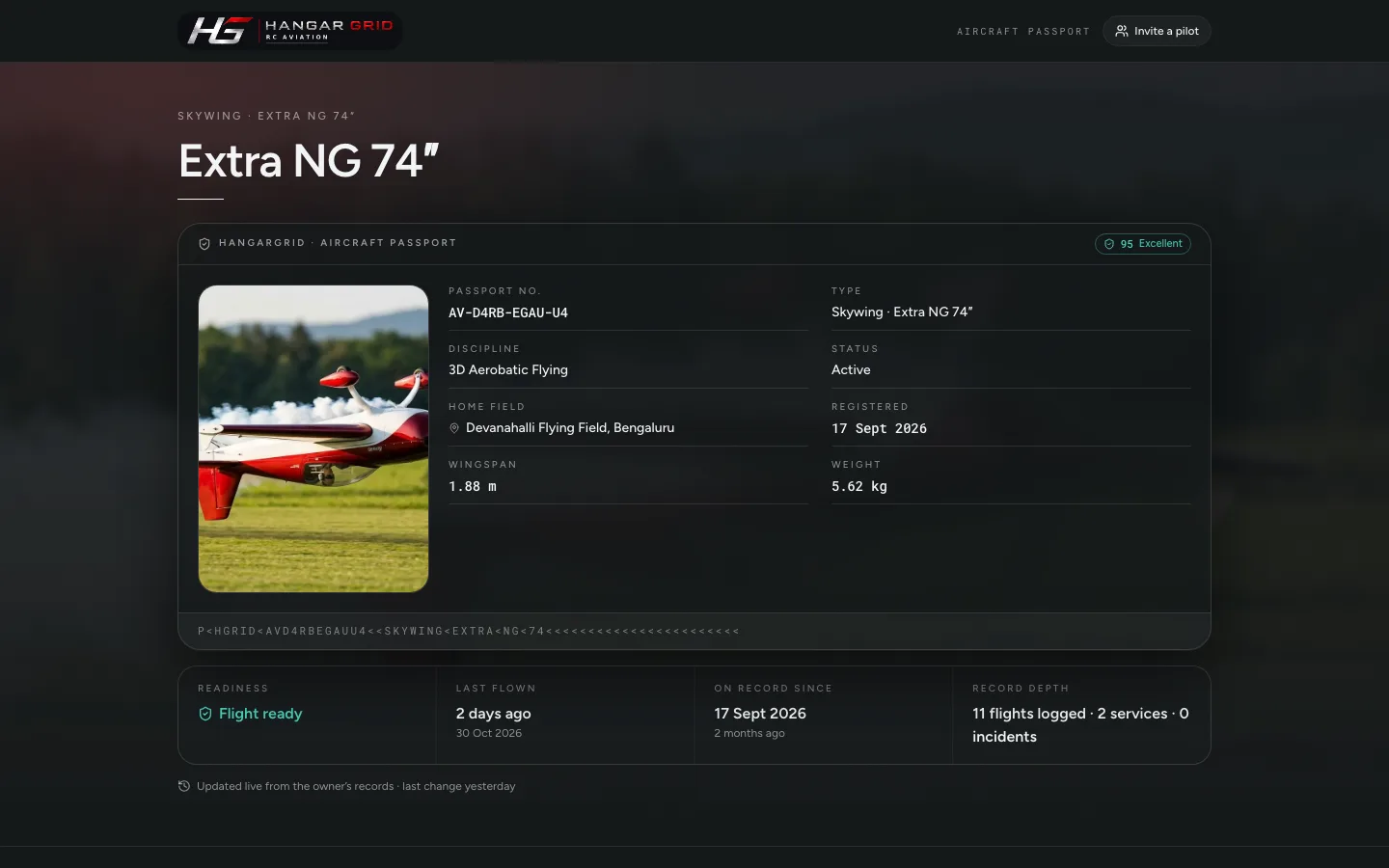
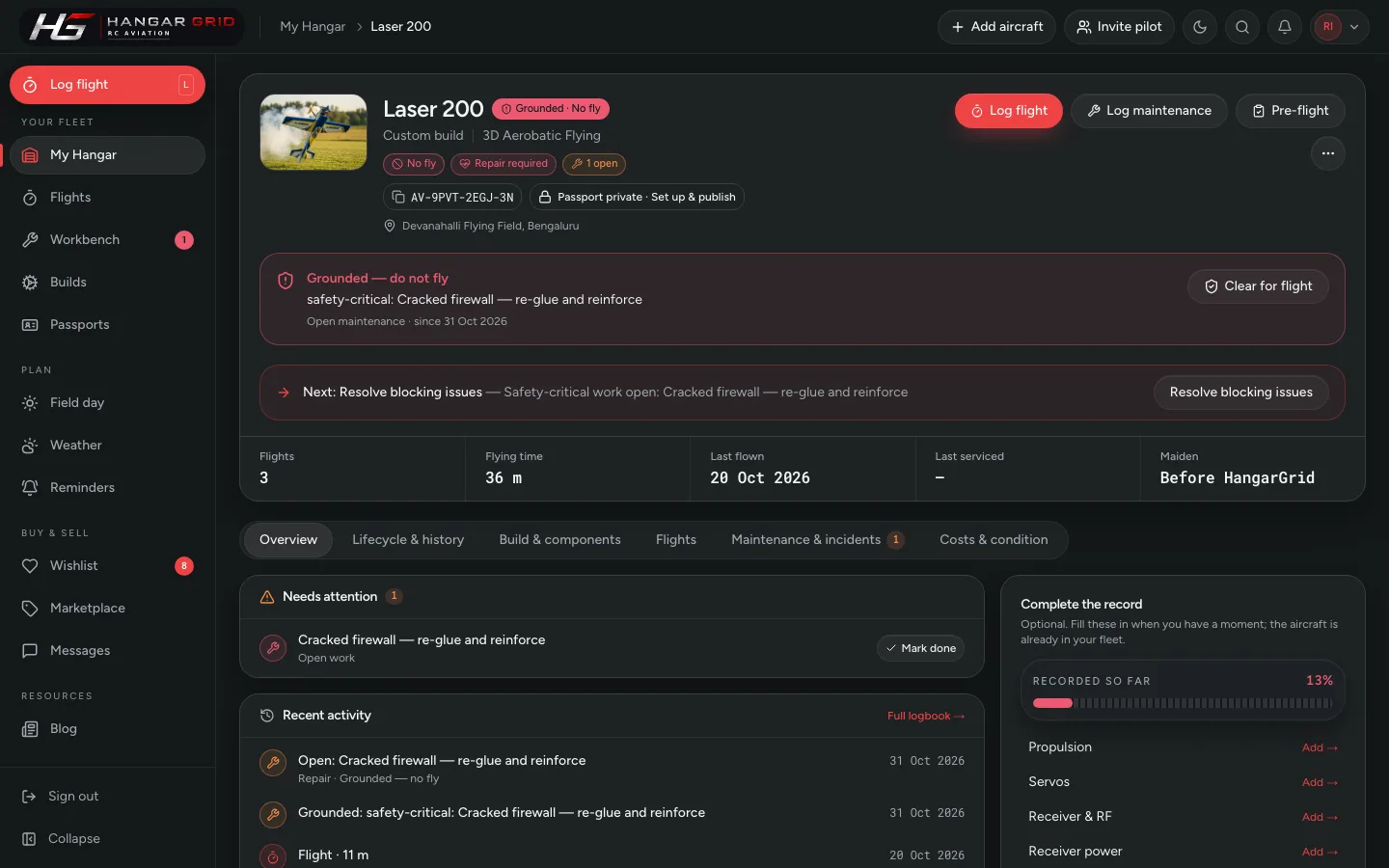
Every aircraft you own gets one. The passport is the aircraft's full life story in one place: what it is, how it was built, every flight, every repair, every part that went in or came out, and whether it's ready to fly today.
Think of it like the logbook a full-size aircraft carries. Only easier, and made for the way we actually fly.
An aircraft's passport: what it is, where it flies, whether it's ready, and its record so far.
It's built by an RC pilot, for RC pilots. Every feature started as a question I kept asking myself at the field.
Why a passport?
Because an aircraft's history matters, and right now it gets lost.
It matters for safety. Most crashes I've seen didn't come out of nowhere. There was a loose screw, a tired battery or a "I'll fix it next time" that never got fixed. When your history is written down, you catch these things before they catch you.
It matters for flying more. When you know which aircraft are ready, which packs are charged and what the weather is doing, you spend less time fiddling and more time in the air.
It matters for selling. Buying a second-hand aircraft is a leap of faith. "Flown gently, never crashed" is what everyone says. A passport with real flights, real repairs and real dates is something a buyer can actually trust.
And honestly, it matters because these aircraft deserve it. Every one of them has a story. It's nice to have that story kept somewhere.
What HangarGrid lets you do
Here's a quick tour, in the order you'd actually use it.
1. Put your fleet in one hangar
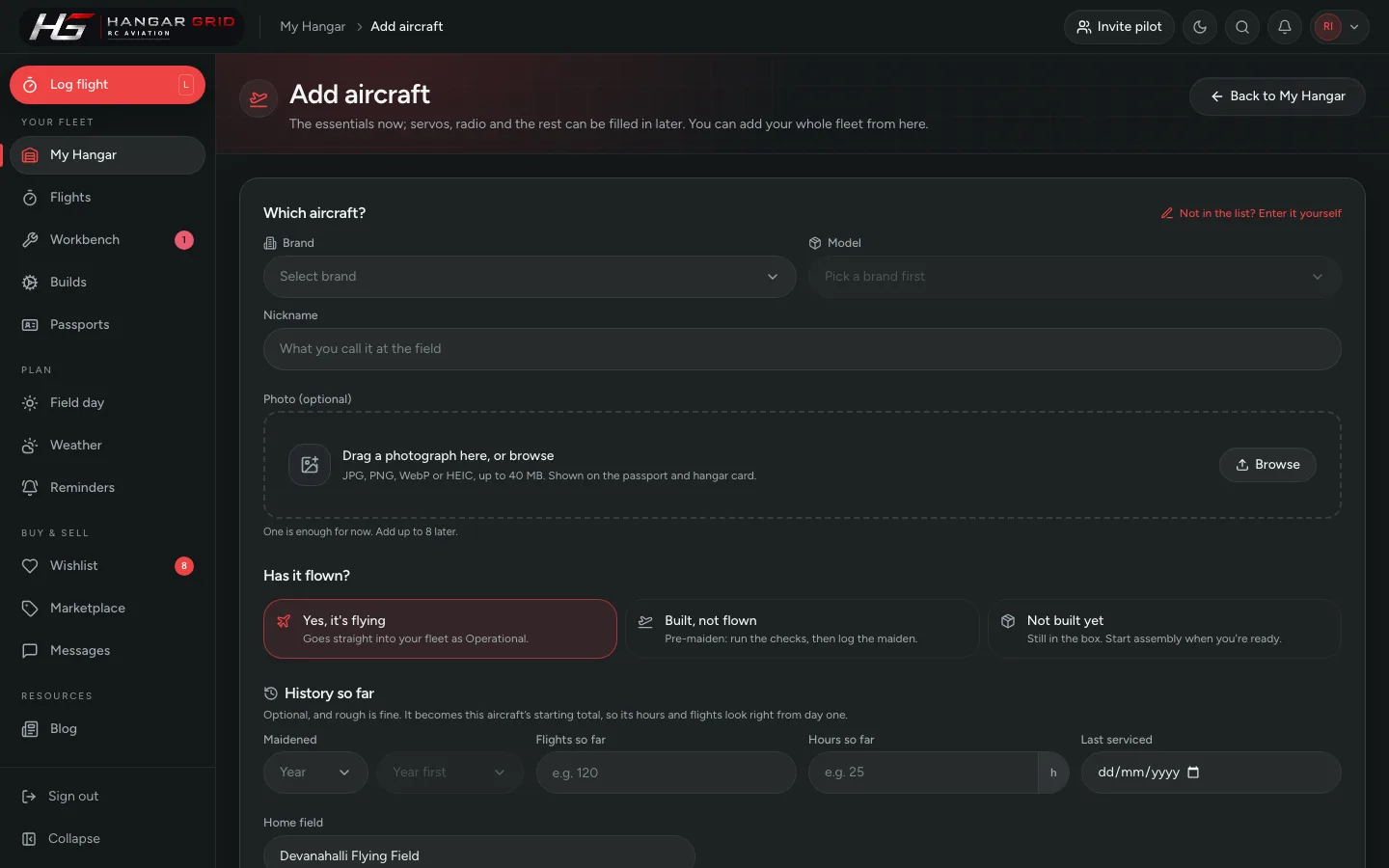
Add the aircraft you already fly in a minute or two: maker, model, wingspan, weight, and a photo. If it has already flown, just tell HangarGrid roughly how many flights and hours it has done, and you're up to date from day one.
Adding an aircraft you already fly: tell it whether it has flown and how much, and its history comes along.
Why I built it this way: most of us aren't starting from zero. We have aircraft that have been flying for years. I didn't want anyone to feel they had to type in their whole history before HangarGrid was useful.
2. Plan a build before you buy a single part
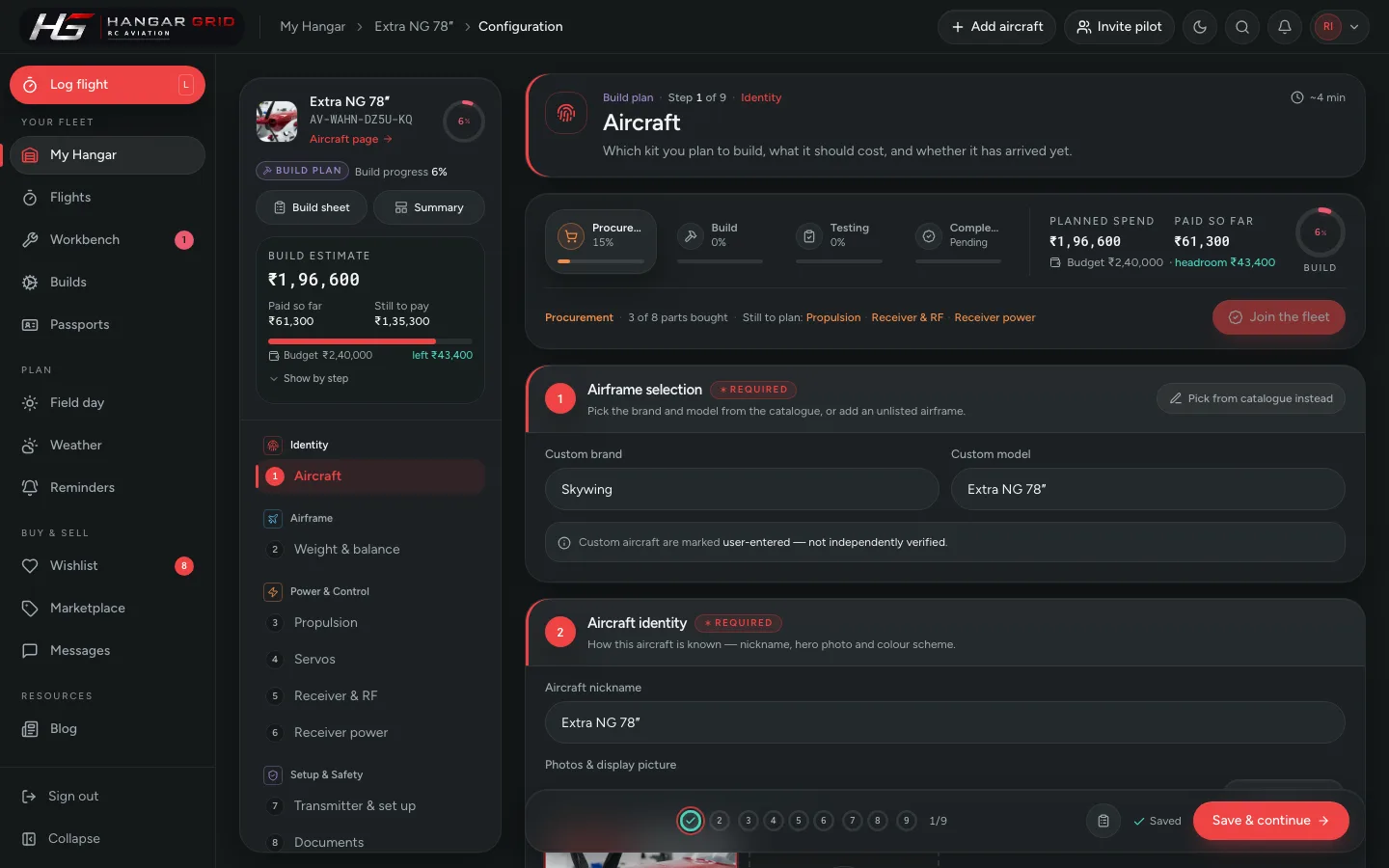
Still dreaming about the next one? Start it under Builds. Pick the airframe, the motor or engine, the ESC, the servos, the battery, and HangarGrid shows you the weight and the cost as you go. When it's done and flying, it joins your fleet with its whole build history attached.
Planning a build step by step, with the estimate, what's paid and what's left in the budget.
Why: some of my best evenings in this hobby were spent planning a build. And some of my worst mistakes were parts that didn't match. Planning it on paper first saves money and heartache.
3. Log flights in seconds
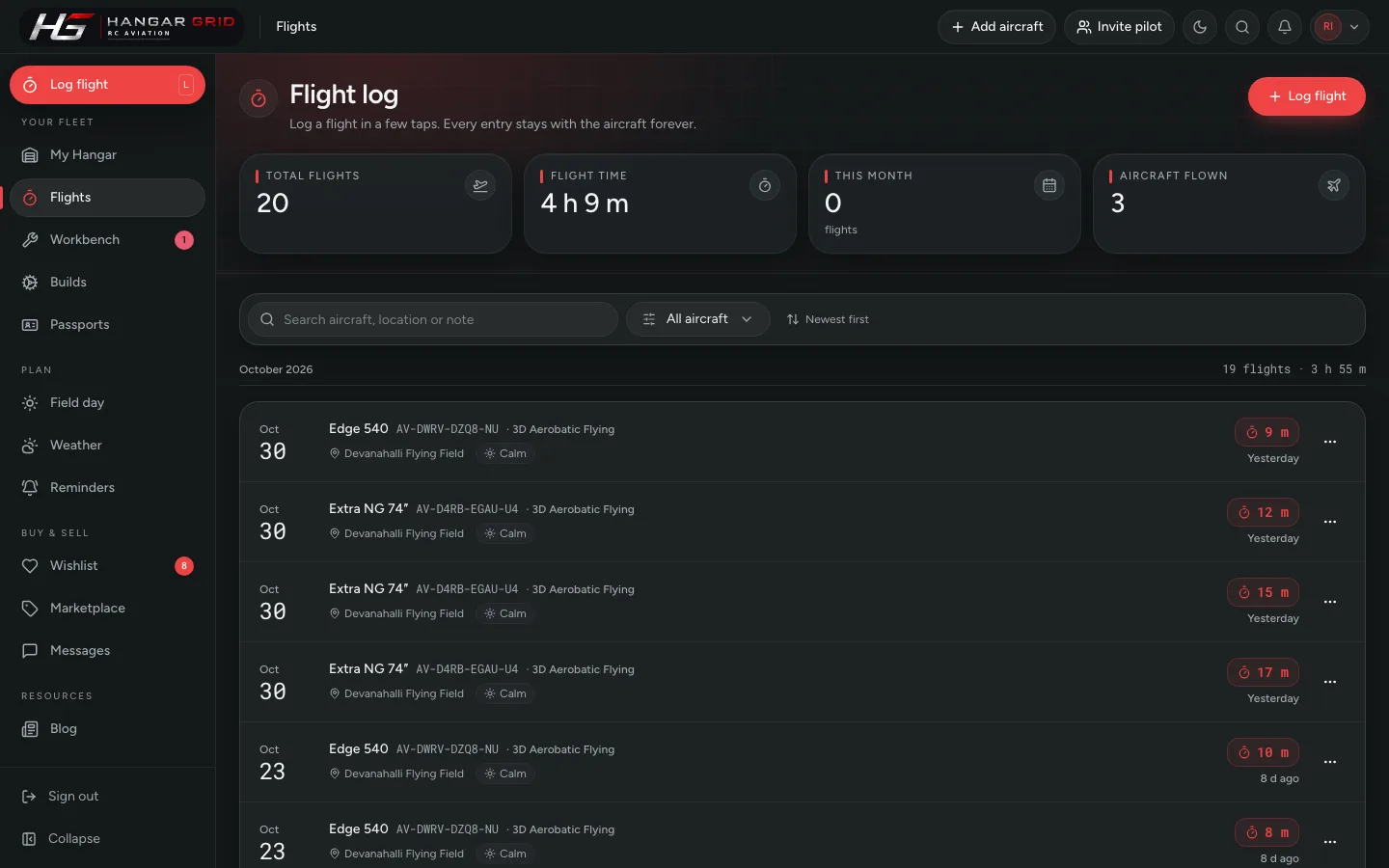
After a session, log your flights. Count, duration, which field, any notes. It takes less time than unpacking the car. Over time you get proper numbers: total flights, total hours, and which aircraft you actually fly the most.
The flight log: every flight, which aircraft, which field, and the totals at the top.
Why: I wanted logging to be so quick you'd actually do it at the field, not promise to do it later.
4. Always know if it's safe to fly
This is the feature I care about most.
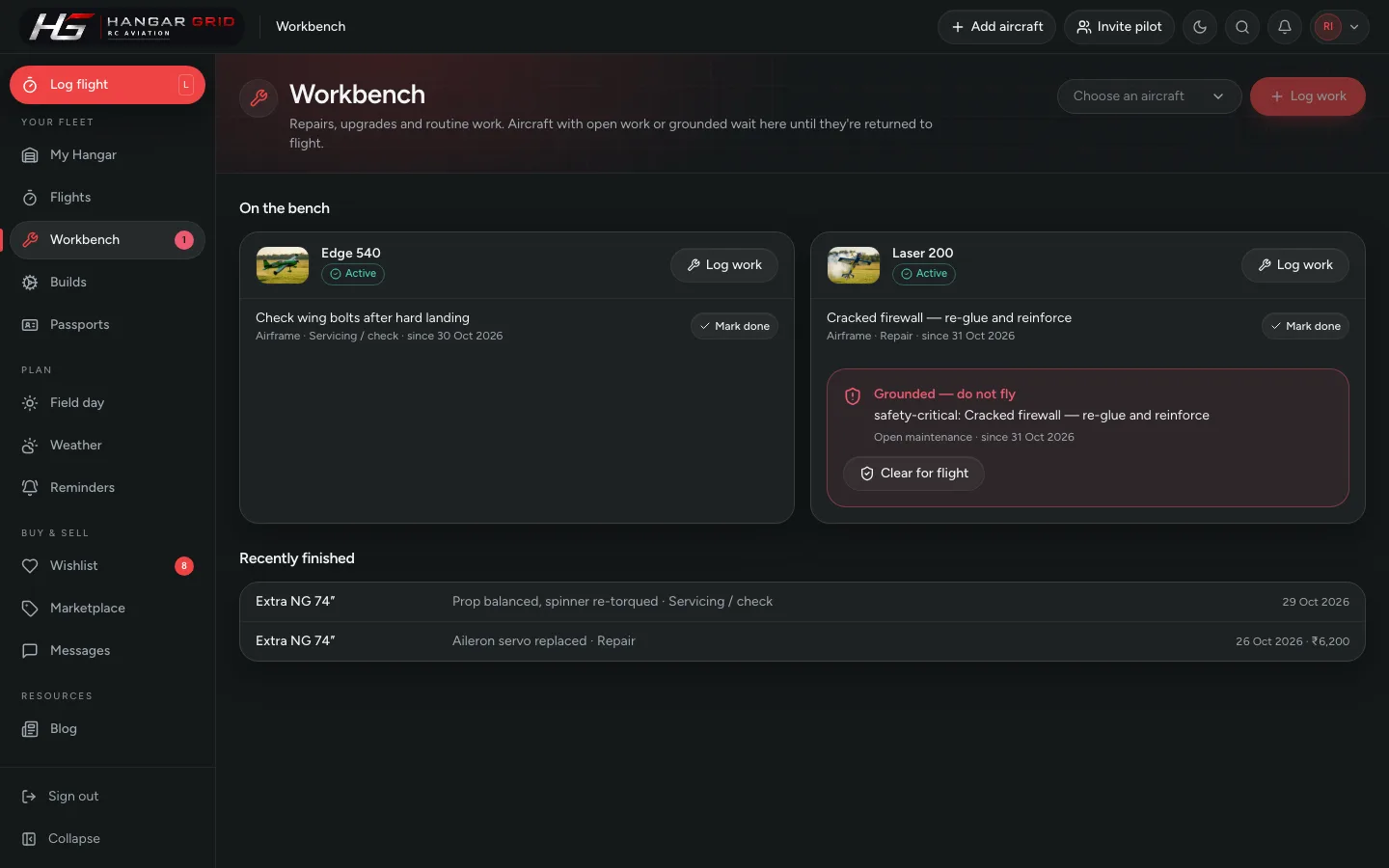
Every aircraft shows one clear status: Flight ready, Checks pending or No fly, always with the reason. Found a cracked prop or a sticky servo? Log it on the Workbench and say whether the aircraft can still fly. If it's serious, the aircraft stays grounded until you clear it, with a simple set of checks before it goes back up.
A safety-critical problem grounds the aircraft, with the reason in plain words, until you clear it.
The Workbench keeps every open job, repair and incident in one place.
Why: we've all been tempted to "just do one more flight" with a known problem. HangarGrid doesn't fly for you, and the decision is always yours. But it makes sure the problem doesn't get quietly forgotten.
5. Pick the right day and arrive ready
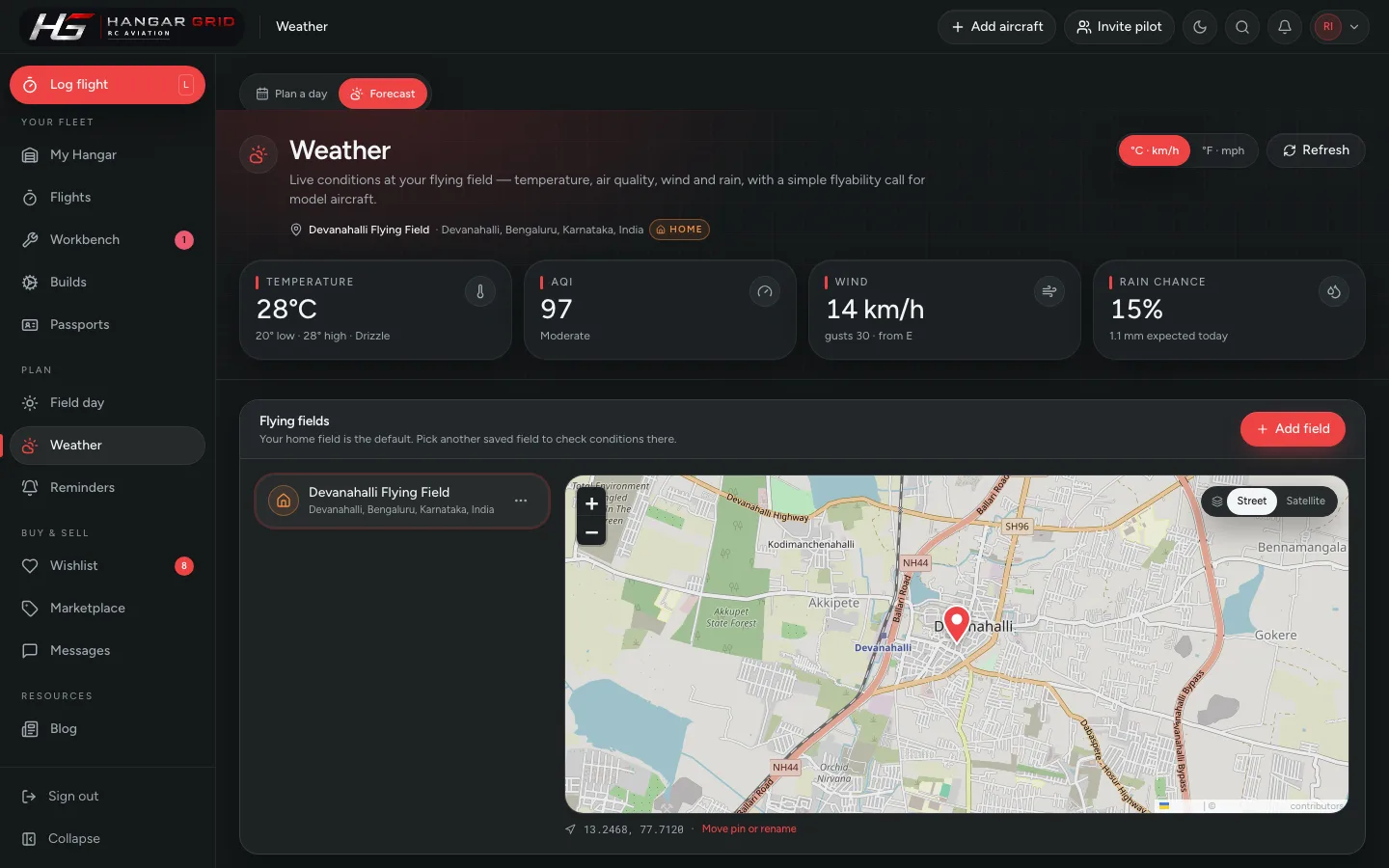
Save your flying fields, and HangarGrid watches the forecast for you: wind and gusts, rain, temperature and even air quality. When a good flying day is coming, you get a heads-up the evening before.
Live conditions at your field: temperature, air quality, wind and the chance of rain.
Then Field day helps you plan the session: which aircraft are going, which packs to charge, who's coming, and a pre-flight checklist for each aircraft once you're at the field.
Why: I've driven an hour to the field only to find the wind blowing a gale. Never again. And in our weather, with the heat and the monsoon, picking the right day really matters.
6. Reminders that actually remind you
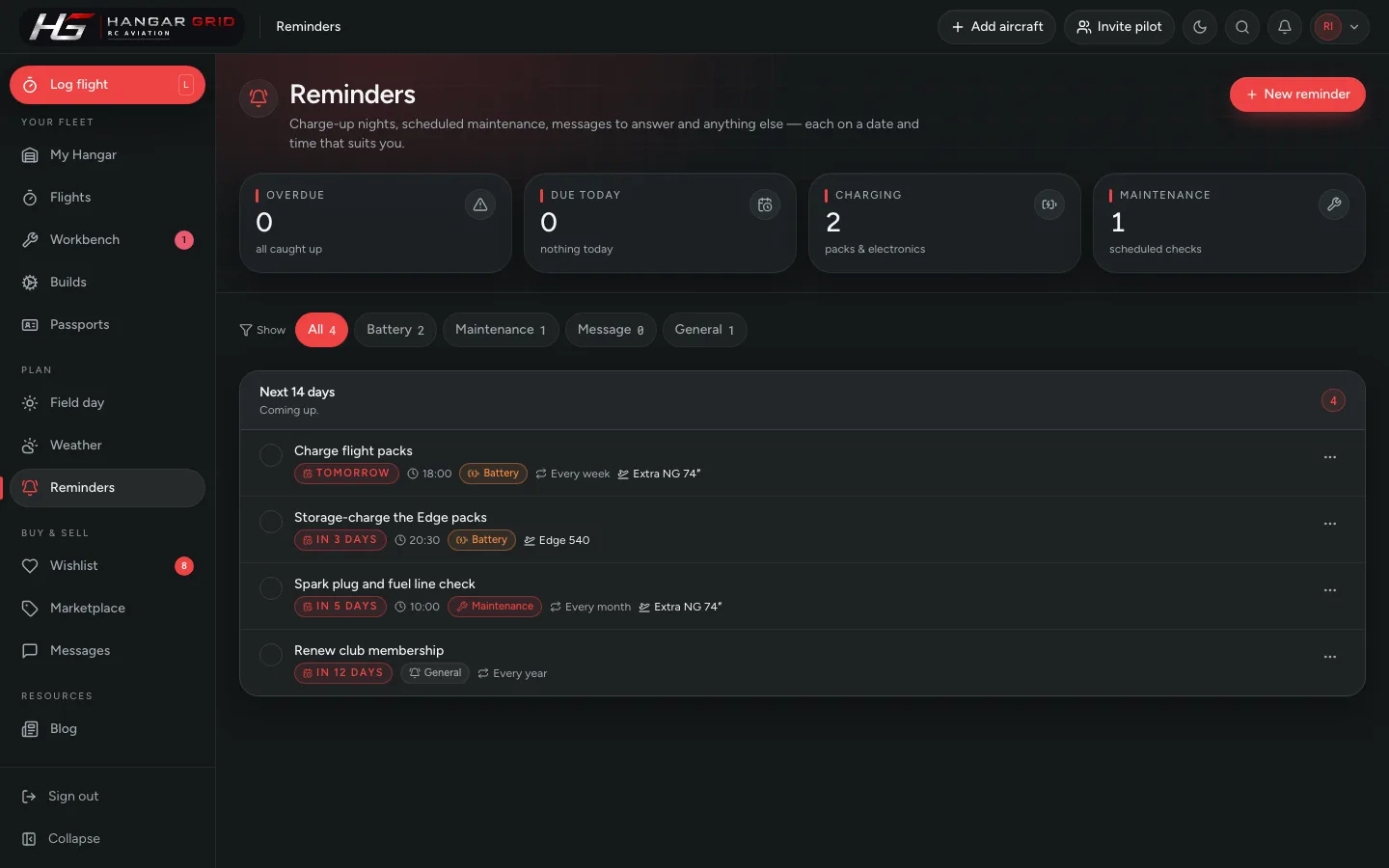
Charge packs on Friday evening. Check the spark plug and fuel lines in five days. Buy those 6S packs on Saturday. Reply to a buyer tonight. You set the date, time and repeat, and HangarGrid nudges you.
Reminders for the small jobs: packs to charge, checks to do, renewals to remember.
Why: the hobby has a lot of small jobs. Small jobs are the easiest to forget.
7. A wishlist for the next upgrade
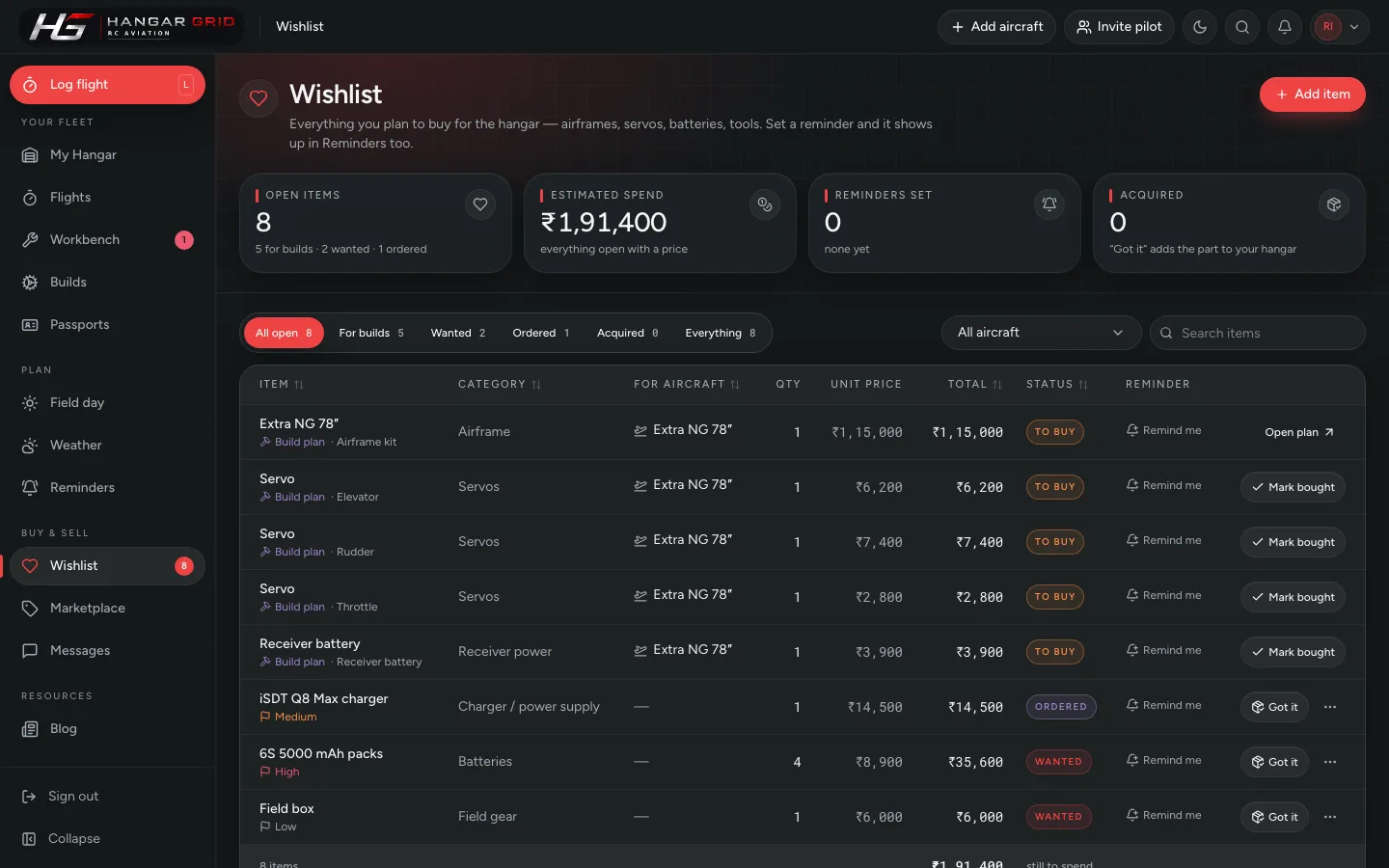
Keep a list of the parts and aircraft you want, with prices, so the next purchase is a decision and not an impulse at the hobby shop. (Okay, sometimes still an impulse. But a well-informed one.)
The wishlist: what you want, what it's for, and what it adds up to.
8. Share your aircraft with pride
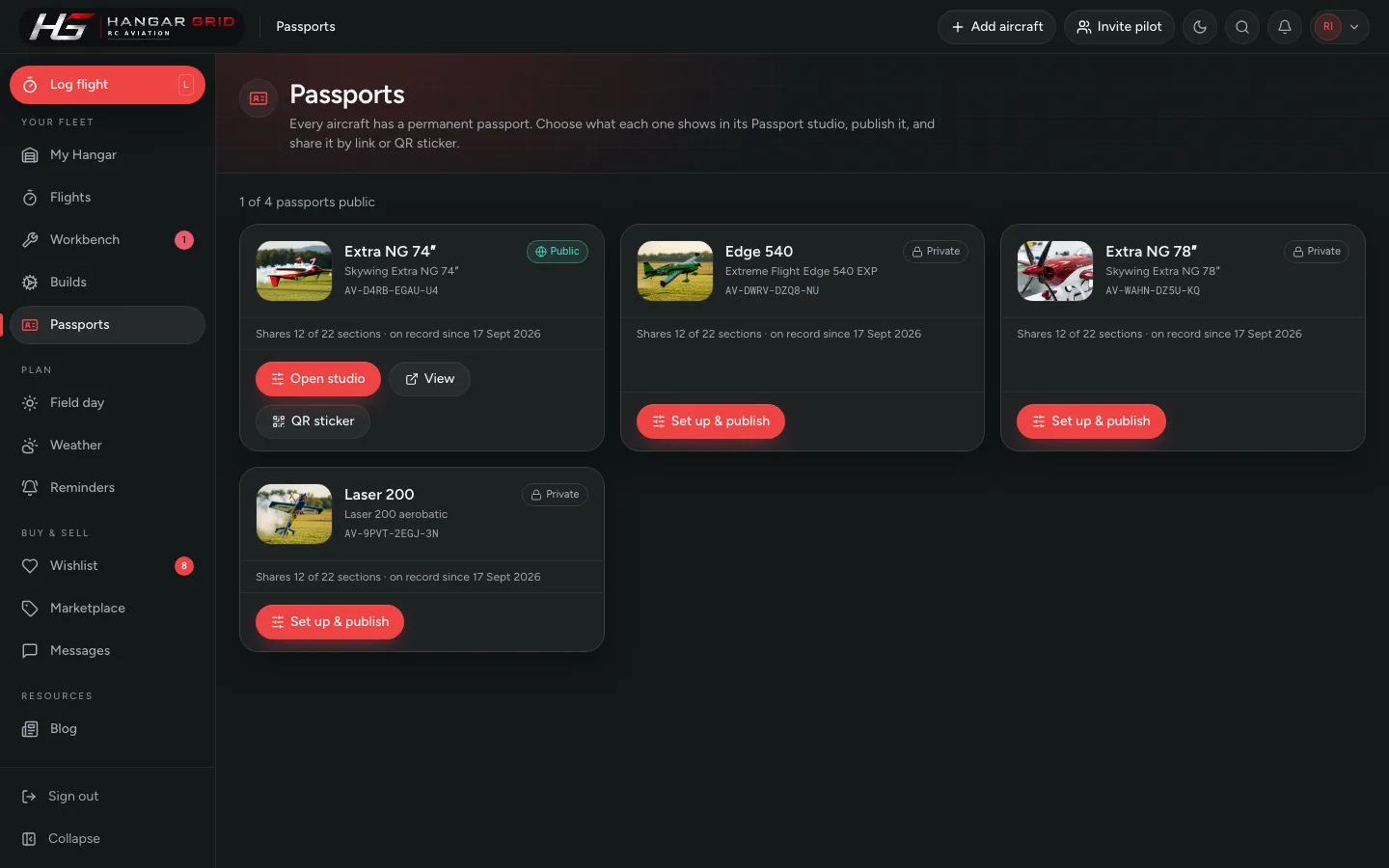
Every aircraft has a passport page you can share with a link or a QR code. Stick the QR inside the canopy or on your flight box. You choose exactly what shows, and everything is private until you decide otherwise.
Every aircraft's passport, public or private, with a QR sticker ready to print.
Why: I love showing off a good build, and I know you do too. But your fleet, your spending and your history are yours. Nothing goes public unless you say so.
9. Buy and sell with the record attached
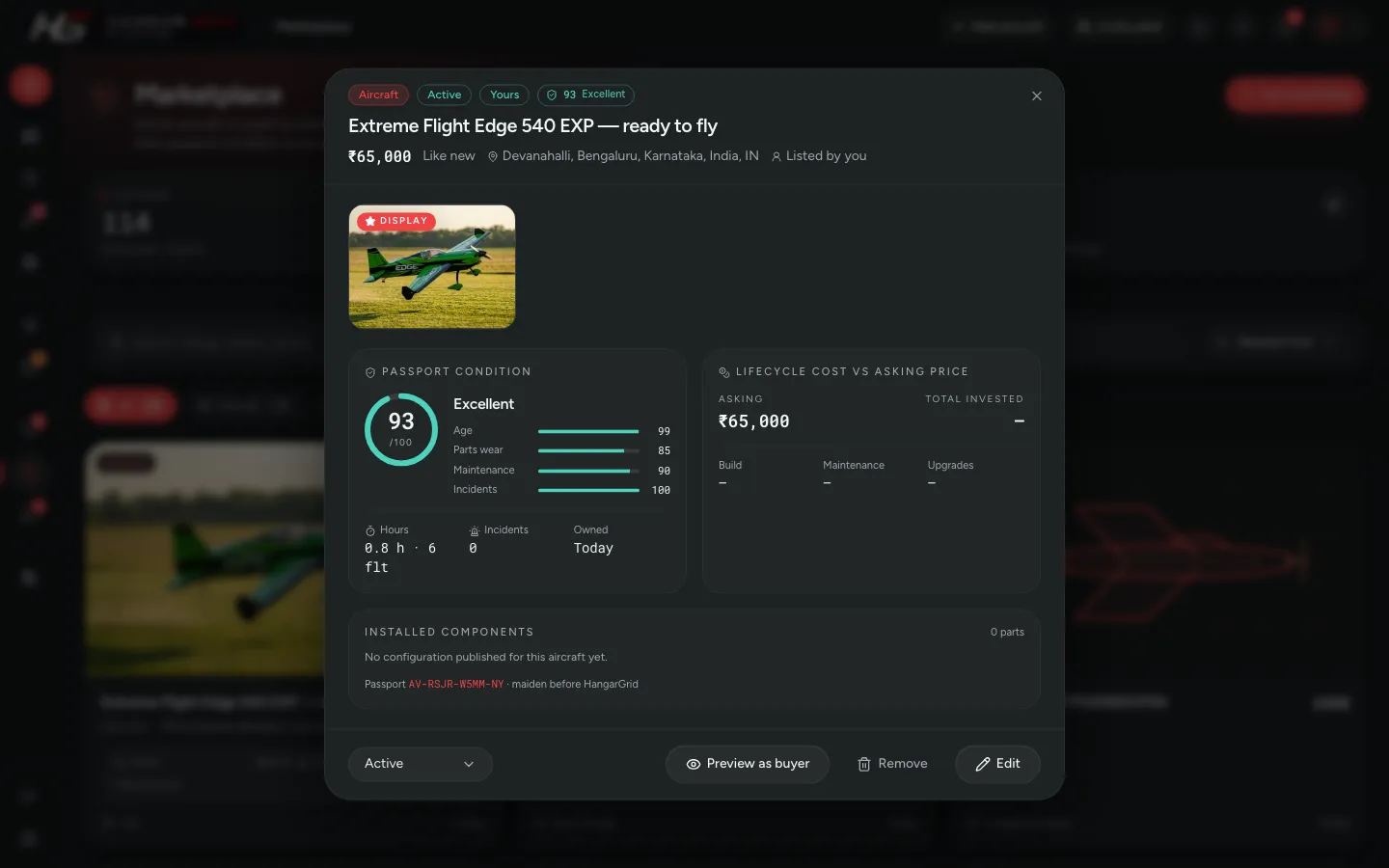
When it's time to let an aircraft go, list it on the Marketplace with its passport attached: condition, flights, repairs and the parts inside. Buyers can message you in the app, and your email and phone number are never shown.
A listing with the passport attached, including its condition score of 93 out of 100.
Why: a fair price comes from trust. A real record is the best way I know to build trust between two pilots who've never met.
10. Bring your flying friends
Invite the pilots you already fly with. Talk setups, field days and listings in one place.
The things I kept in mind while building it
A few promises I made to myself early on, and still check every feature against:
It has to be simple. If it takes longer to log a flight than to fly it, I've failed. You should be able to use HangarGrid with cold fingers at the field.
Your data is yours. Private by default. You choose what's shared, with whom, and you can change your mind at any time.
Safety comes first, but you're the pilot. HangarGrid keeps the record and raises the flag. The decision to fly is always yours.
It should work for every kind of flyer. Electric, gas and gliders. Foamies and big scale. Brand-new pilots and people who've been flying for decades.
It should make you fly more, not admin more. The goal is more time in the air, never more time on a screen.
What's next
HangarGrid is free to start, and you can try a demo hangar without signing up, just to see how it feels.
This is only the beginning, and as I said at the top, this blog is where I'll keep you posted. Every time something new lands in HangarGrid, you'll read about it here first: what it does, how we built it, and why. Expect feature walkthroughs, honest behind-the-scenes stories and practical guides for keeping your fleet healthy. Bookmark this page and drop by often.
Most importantly, I want to hear from you. What do you wish you could track? What's annoying about your current system, even if it's a notebook? What would make you open HangarGrid at the field? Your answers will shape what I build next.
See you at the field. Blue skies and soft landings.